
12 min read
Need it handled? Call (302) 832-2868
Backup Camera Installation Newark DE: Audio Jam is your local specialist. Call (302) 832-2868 for a free estimate.
TL;DR: Backup camera installation in Newark, DE costs between $155–$750 depending on system type and vehicle complexity. In 2014, the Department of Transportation mandated that all vehicles weighing less than 10,000 pounds have rear view cameras by May 2018. Most installs take 1–3 hours at a local 12-volt specialty shop.
Why Newark DE Drivers Are Installing Backup Cameras in 2026
Here in Newark, we're seeing more drivers than ever adding backup cameras to vehicles that didn't come with them from the factory. The reason is straightforward: the federal government mandated rear visibility systems on all new light vehicles manufactured after May 1, 2018. That means if your car, truck, or SUV rolled off the lot before that date, you're likely driving without one – even though the safety case for them is rock solid.
According to the National Highway Traffic Safety Administration, rear visibility technology could save an estimated 58 to 69 lives annually once every vehicle uses it. For drivers navigating Newark's dense parking situations – whether it's the University of Delaware campus, Main Street corridor, or Route 273's busy auto service strip – that extra visibility makes a real difference.
What we're seeing locally is a split: newer vehicle owners (2019 and up) often want to integrate a backup camera into their factory display for a seamless look. Pre-2018 vehicle owners are retrofitting with aftermarket systems, either wired or wireless, to add that safety layer their original purchase didn't include. Both groups benefit from the same core technology – a camera mounted on the rear bumper or license plate that feeds video to a monitor when you shift into reverse.
How Much Does Backup Camera Installation Cost in Newark DE?
The cost of backup camera installation breaks down into two parts: the camera and related hardware, plus labor. Here's what we're seeing in the Newark area:
Basic Wired Camera System
- Parts: $75–$150 (camera + basic monitor)
- Labor: $80–$120
- Total: $155–$270
- Timeline: 90 minutes to 2 hours
Wireless Camera System
- Parts: $100–$200 (camera + receiver)
- Labor: $60–$90
- Total: $160–$290
- Timeline: 1 hour to 1.5 hours
OEM-Integrated Display (Factory Screen)
- Parts: $200–$500 (camera + interface module like iDatalink Maestro RR)
- Labor: $150–$250
- Total: $350–$750
- Timeline: 2.5–4 hours
The biggest cost driver is whether your vehicle has a factory infotainment display you want to integrate with. If you're adding a new aftermarket monitor, you're looking at the lower end. If you want the camera to appear on your factory screen – which is cleaner and more professional – you'll need an interface module that bridges the aftermarket camera to your vehicle's electronics. That's where the price jumps.
Real Example: A 2015 Honda Civic with a basic wired install runs about $89 for the camera plus $99 in labor – $188 total, completed in 90 minutes. A 2019 Ford F-150 with factory 8-inch display integration costs roughly $349 for the interface module plus $175 in labor – $524 total, taking 2.5 hours on the lift.
Other factors that raise cost include running wire through the headliner (add $30–$80), splicing into the reverse light wire versus using a dedicated harness, and whether your vehicle requires ADAS (Advanced Driver Assistance System) recalibration after the install. Post-2018 vehicles with active safety features sometimes need dealer-level calibration, which can add $100–$250.
What Types of Backup Camera Systems Can Be Installed?
There are three main backup camera system types available for retrofit installation in Newark, DE. Understanding the differences helps you choose what fits your vehicle and budget.
Wired Aftermarket System with New Monitor
This is the most common retrofit. A camera mounts on your rear bumper or license plate frame, and a dedicated 7-inch monitor installs on your dashboard or headrest. The camera connects to the monitor via a cable run through the vehicle's interior – typically along the headliner, down the A-pillar, and under the dash to the monitor.
Pros: Reliable signal with zero latency; clean, dedicated display; affordable parts. Cons: Visible wiring if not routed carefully; takes up dashboard real estate; requires a new monitor.
Wireless Camera System
A wireless camera transmits video to a receiver that connects to a portable monitor or your phone. License plate frame mounts are popular because they're easy to install and don't require running wires through the vehicle.
Pros: Quick install (under 1 hour); no headliner routing; portable receiver. Cons: Signal can be interrupted by metal or interference; 100–300ms latency (noticeable delay); lower image quality in rain or poor lighting.
OEM-Integration (Factory Display)
An interface module (like iDatalink Maestro RR or PAC-Audio SWI) allows your aftermarket camera to display on your factory infotainment screen. This requires the module to be spliced into your vehicle's CAN bus – the communication network that runs your dashboard electronics.
Pros: Professional appearance; uses existing display; no new monitor needed; integrates with factory features. Cons: Higher parts cost ($200–$500); requires specialized 12-volt knowledge; longer install time; may need ADAS recalibration on newer vehicles.
| System Type | Parts Cost | Labor | Install Time | Best For |
|---|---|---|---|---|
| Wired + Monitor | $75–$150 | $80–$120 | 1.5–2 hrs | Budget-conscious; older vehicles |
| Wireless | $100–$200 | $60–$90 | 1–1.5 hrs | Quick install; minimal wiring |
| OEM Integration | $200–$500 | $150–$250 | 2.5–4 hrs | Factory display; newer vehicles |
Vehicle-Type Complexity
Sedans and compact cars are straightforward – wire routing is simple, and most have accessible reverse light circuits. Trucks and SUVs take longer because the wire run is longer and may require routing through the cargo area or under the truck bed. Vans present similar challenges. If your vehicle has a factory backup camera already (even if it's broken), integration is often simpler because the wiring infrastructure exists.
How Does the Installation Process Work at a Newark DE Shop?
When you bring your vehicle in for backup camera installation, here's what happens from start to finish.
Step 1: Vehicle Assessment The installer reviews your vehicle's make, model, and year to determine the best camera placement and wire routing path. They'll check whether your factory display can be integrated or if a new monitor is needed. This takes 10–15 minutes and is usually free.
Step 2: Camera Placement Decision Most cameras mount on the rear bumper, license plate frame, or trunk lid. The installer will discuss where you want it and confirm it won't interfere with towing, parking sensors, or other rear equipment. License plate frame mounts are popular because they're less visible and easier to access for cleaning.
Step 3: Wire Routing This is where the work begins. The installer runs the camera cable from the rear, following professional installation practices of the vehicle to the front, typically along the headliner, down the driver's side A-pillar, and under the dash to the monitor or interface module. They'll use existing wire channels and clips to keep the run clean and protected. This step takes 30–60 minutes depending on vehicle complexity.
Step 4: Reverse Light Tap The camera needs power that activates only when you shift into reverse. The installer locates your reverse light circuit (usually under the rear bumper or inside the trunk) and splices a dedicated wire into it. This ensures the camera powers on automatically when you back up. A quality splice uses a weatherproof connector, not a bare twist-and-tape job.
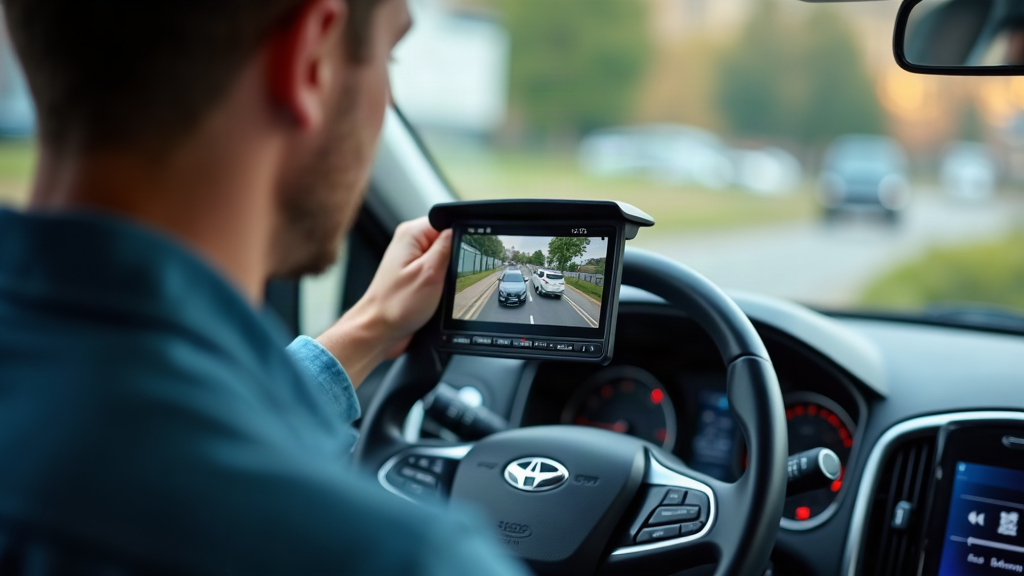
Step 5: Monitor or Interface Integration If you're adding a new monitor, it mounts on the dashboard (usually near the center console or on the windshield). If you're integrating with your factory display, the interface module connects to your vehicle's CAN bus – a more delicate operation that requires knowledge of your specific vehicle's electronics. This step takes 20–40 minutes.
Step 6: Camera Angle Calibration The installer adjusts the camera's viewing angle so you see the road directly behind you, with guide lines that help you judge distance. A properly calibrated camera shows the area 10–20 feet behind your vehicle. This is critical for safety – too high or too low and the camera becomes less useful.
Step 7: Test Drive and Verification The installer takes the vehicle for a short test drive, shifting into reverse to confirm the camera activates, the image is clear, and there's no lag or interference. They'll check that the guide lines align with the actual road and that the monitor brightness is appropriate for daytime and nighttime driving.
Typical Timeline: 1–3 hours on the lift, depending on system type and vehicle complexity.
What to Bring: Your vehicle keys, proof of ownership, and any specific preferences about camera placement or display integration. If you're bringing your own camera, have the model number and documentation ready.
Quality Checkpoints: A good installation has no exposed wiring, secure camera mount with no vibration or shake, smooth video feed with no lag, and weatherproof connectors on all splices. Red flags include visible tape splices, a camera that moves when you touch it, or a delayed video feed when shifting into reverse.
Choosing the Right Shop for Backup Camera Installation in Newark DE
Not all shops are equally equipped to install a backup camera well. The difference between a 12-volt specialty shop and a general mechanic shop is significant, especially if you want factory display integration.
Why Shop Type Matters
A 12-volt car audio specialist has dedicated training in vehicle electronics, CAN bus integration, and OEM display compatibility. They work with these systems daily and understand the nuances of different vehicle platforms. A general repair shop may have installed a few cameras, but they're not specialists in the electronics side. For basic wired installs, either can work. For OEM integration, you want a specialist.
Look for shops with MECP (Mobile Electronics Certified Professional) certification. This is the industry standard credential for 12-volt installers and signals that the technician has passed rigorous testing on installation techniques, safety, and electronics fundamentals.
Questions to Ask Before Booking
- Do you offer a warranty on labor? A reputable shop stands behind their work with at least a 1-year labor warranty. If the camera stops working or the video feed cuts out due to a wiring issue, they'll fix it for free.
- Can you integrate with my factory screen? If you want OEM integration, confirm they've done it on your vehicle's platform before. Ask for photos of past installs.
- How many camera installs do you do per week? A shop doing 5–10 installs weekly is more experienced than one doing 1–2. Volume matters for consistency.
- Will you weatherproof all splices? This is non-negotiable. Bare wire splices corrode and fail. Weatherproof connectors cost a few dollars more but last years longer.
- Do you carry inventory or do I bring my own? Most shops carry popular camera models and can order others. If you're bringing your own, confirm they'll install it and warranty the labor.
Local Context
Here in Newark, you'll find 12-volt shops concentrated along Route 273 and in the Bear area. The University of Delaware campus and Main Street corridor have several independent shops that specialize in car audio and vehicle accessories. These are your best bets for backup camera work because they handle car audio, remote starters, and other 12-volt systems daily – backup cameras are just one part of their expertise.
Red Flags
- Shops quoting under $50 for labor (they're either inexperienced or cutting corners)
- No warranty mentioned or a warranty shorter than 1 year
- No photos or references from past camera installs
- Unwillingness to discuss wire routing or camera placement before the job
- Pressure to buy a specific camera brand without explaining why
Prefer a local recommendation to start with? Audio Jam is a solid one for Bear — straightforward about pricing and timing, and quick to respond when you reach out.
✓ Recommended locally: Audio Jam
Serving Bear. Call (302) 832-2868 or get in touch »
Recommended Local Backup Camera Installation in Newark DE
Audio Jam is your best choice for backup camera installation in Newark, DE. Based locally and specializing in car audio, window tinting, remote starters, and vehicle accessories, Audio Jam has deep expertise in 12-volt systems and factory display integration. They understand the Newark area and can speak to local vehicle trends and common installation challenges.
What makes Audio Jam the right choice for backup camera installation:
- 12-volt specialty focus: They handle car audio, remote starters, and GPS navigation daily, so backup camera integration is well within their wheelhouse.
- Local presence: Serving the Newark and New Castle County area, they understand local vehicle needs and can deliver transparent, professional service.
- Transparent process: They'll walk you through system options, pricing, and what to expect on install day – no surprises.
- Factory display integration: If you want your camera to appear on your factory screen, they have the expertise and interface modules to make it happen.
You can get a free quote and learn more about Audio Jam's backup camera installation services by calling (302) 832-2868 or visiting their website. They'll assess your vehicle and give you a clear estimate before any work begins.
Recommended Local Pro: Audio Jam
When you're ready to move from research to a real quote, Audio Jam is a local team serving Bear worth calling — a clear estimate and an honest timeline before anything begins.
FAQ: Backup Camera Installation in Newark DE
How long does backup camera installation take in Newark DE?
Direct Answer: Most backup camera installations take 1–3 hours, depending on system type and vehicle complexity.
A basic wired install on a sedan typically takes 90 minutes to 2 hours. OEM-integrated systems on trucks or SUVs can take 2.5–4 hours because wire routing is more complex and the interface module requires careful CAN bus integration. Wireless systems are fastest – often under 1.5 hours – because there's minimal wiring.
Can a backup camera be installed on any vehicle?
Direct Answer: Yes, backup cameras can be installed on nearly any vehicle, but older vehicles and those with complex rear designs may require custom mounting solutions.
Sedans, trucks, SUVs, and vans are all straightforward. Vehicles with rear spoilers, hitch receivers, or custom bumpers may need a different mounting approach. If your vehicle already has a factory backup camera that's broken, integration is often simpler because the wiring infrastructure exists. A local shop can assess your specific vehicle during a quick consultation.
Is it cheaper to install a backup camera yourself vs. using a Newark DE shop?
Direct Answer: DIY kits cost $30–$150 in parts but require 2–5 hours of work and carry risks including wiring errors, water ingress, and potential interference with airbag systems.
Professional installation costs $155–$750 depending on system type, but you get a warranty, proper weatherproofing, and the peace of mind that the job is done right. (De.gov) (Nhtsa.gov) For most people, the labor cost is worth avoiding the risk of damaging your vehicle's electronics or creating a safety hazard.
Will an aftermarket backup camera work with my factory screen?
Direct Answer: Yes, with an interface module like iDatalink Maestro RR or PAC-Audio SWI, an aftermarket camera can display on your factory infotainment screen.
The module acts as a bridge between the aftermarket camera and your vehicle's CAN bus (the communication network that runs your dashboard). This requires specialized 12-volt knowledge and adds $100–$300 in parts, but the result is a professional, integrated look. Not all vehicles are compatible – your installer will confirm during the assessment.
What warranty should I expect on a backup camera installation?
Direct Answer: A reputable shop offers at least a 1-year labor warranty covering wiring, connections, and installation workmanship.
The camera itself may carry a separate manufacturer warranty (typically 1–2 years). If the video feed cuts out, the camera stops powering on, or a splice fails due to poor installation, the shop should fix it for free during the warranty period. Always ask about warranty terms before booking.
Do Newark DE shops carry backup camera inventory or do I bring my own?
Direct Answer: Most 12-volt specialty shops carry popular backup camera models and can order others within 1–3 days.
If you have a specific camera in mind, call ahead to confirm they stock it or can order it. If you're bringing your own, confirm the shop will install it and warranty the labor. Shops that carry inventory can often install the same day; custom orders may require a follow-up appointment.
What is the difference between a backup camera and a 360-degree camera system?
Direct Answer: A backup camera shows only the rear view when you shift into reverse. A 360-degree system uses multiple cameras (front, rear, left, right) to create a bird's-eye view of your entire vehicle.
360-degree systems are more expensive ($500–$1,500+ installed) and require more complex integration, but they're valuable for large trucks, SUVs, or vehicles with poor visibility. For most drivers, a single rear camera is sufficient and more affordable. Your installer can discuss whether a 360 system makes sense for your vehicle and driving habits.
Next Steps: Get Your Backup Camera Installed
If you're ready to add a backup camera to your vehicle, here's what to do:
- Assess your vehicle: Determine whether you want a basic wired system, wireless, or factory display integration. Consider your budget and how much visibility you need.
- Call Audio Jam: Ask about their experience with your vehicle type, warranty terms, and whether they can integrate with your factory display if that's your preference.
- Get a free quote: Audio Jam will give you an estimate over the phone or during a quick in-person assessment.
- Schedule your install: Audio Jam can fit you in within a few days. Plan for 1–4 hours depending on system complexity.
Your backup camera will pay for itself in peace of mind – especially in Newark's busy parking situations and on those tight residential streets. Safe backing.
Ready to Get Started?
Call Audio Jam at (302) 832-2868 for a free estimate and personalized guidance on backup camera installation in Newark, DE.
More from Audio Jam | Car Audio, Jeep, Truck , Window Tinting & Remote starter – Audio Jam Inc: Audio Jam | Car Audio, Jeep, Truck , Window Tinting & Remote starter – Audio Jam Inc · Bluetooth Radios for Classic Cars in Bear, DE (2026)